8986 App – Download Now and Play Slots, Fish Games, and Betting on Mobile
The 8986 app is available for Android and iOS. Fast loading, touch-optimized interface, and full access to the game catalog from anywhere in Brazil.
The 8986 app is available for Android and iOS. Fast loading, touch-optimized interface, and full access to the game catalog from anywhere in Brazil.
The 8986 app runs great on both Android and iPhone — see the details for each version
The 8986 APK file can be downloaded directly from your Android phone's browser. Installation takes less than two minutes and does not require a Google Play account. Just allow installation from unknown sources in your device settings and you're good to go.
Download Android APKIPhone and iPad users can access 8986 directly through Safari or mobile Chrome with an optimized browsing experience. For a native app feel, simply add it to your home screen via Safari's share menu — one tap and you're in.
Access on iPhoneMany people still prefer playing through a desktop browser, and that works fine. But when it comes to convenience, the 8986 mobile app changes the game — no pun intended. You open the app, you're already logged in, and in less than ten seconds you're spinning a slot or placing a sports bet. No need to type a URL, wait for page loads, or deal with browser bars taking up part of your screen.
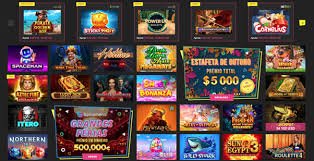
For the Brazilian player who is often commuting, waiting in line, or taking a break at work, having the 8986 app installed on their phone makes a real difference in convenience. The full catalog — slots, fish games, betting, and promotions — is available in the palm of your hand, working well on both 4G and home Wi-Fi.
Installing on Android is straightforward, but requires a quick adjustment in your system settings because the APK file comes directly from the 8986 website, not the Play Store. Here's how to do it:
On Android, go to Settings → Security (or Privacy, depending on your system version) and enable "Unknown sources" or "Install unknown apps". On newer versions of Android, this permission is requested automatically when you try to install the APK, so just confirm when prompted.
Open Chrome or any browser on your Android, go to the 8986 download page, and tap the APK download button. The file will start downloading automatically to your phone's downloads folder.
Once the download is complete, open the download notification or go to your phone's file manager, locate the 8986 APK, and tap it to start the installation. The process takes a few seconds.
With the app installed, open 8986, enter your username and password — or create a new account if you don't have one yet — and enjoy the full catalog directly from your Android.

On iOS, Apple restricts the installation of external APKs, but that's not a problem. The 8986 mobile site was built as a Progressive Web App (PWA), which means it behaves like a native app when added to the iPhone or iPad home screen.
The process is quick: open Safari, visit the 8986 website, tap the share icon (the upward arrow in Safari's bottom bar), and select "Add to Home Screen". Confirm the name and that's it — an 8986 icon will appear on your home screen, and tapping it opens the app in full screen, with no browser navigation bar.
The iPhone experience is smooth: slot animations run well, the numeric keypad appears automatically for value fields, and Face ID or Touch ID can be used for quick login depending on your account settings.
One of the biggest concerns for mobile players is mobile data usage. 8986 has optimized game assets so that consumption remains reasonable even on more limited data plans. A typical slots session uses around 5 to 15 MB per hour, depending on the title — well below video streaming, for example.
For those on a more limited data plan, the tip is to connect to home Wi-Fi for longer sessions and use 4G for quick plays during the day. The app also caches some graphic assets after the first access, which reduces data usage in subsequent sessions.
All financial operations at 8986 work normally through the app. To make a deposit, go to the Cashier section, choose Pix as your payment method — the fastest option, with credit in seconds — enter the amount in BRL, and confirm. The Pix QR Code appears directly on screen, and you can scan it with your bank app without ever leaving 8986.
For withdrawals, the process is equally simple through the app: go to the withdrawal section, enter your registered Pix key and the desired amount. Pix withdrawals are typically processed quickly. More details on timeframes and limits are available on the Withdrawal page of 8986.

Security is a priority. The 8986 app uses an encrypted connection (HTTPS/TLS) for all communications between your device and the platform's servers. This means your login data, financial information, and betting history are transmitted securely.
Additionally, 8986 recommends that users enable two-factor authentication on their account for an extra layer of protection. If you notice any suspicious activity on your account, contact platform support immediately.
The 8986 app is updated regularly with performance improvements, new games, and bug fixes. On Android, the app notifies you when a new version is available — just confirm the update and wait for it to finish, which usually takes less than a minute. On iOS via PWA, updates are automatic: every time you open the app with an internet connection, it loads the latest version with no action required on your part.
From download to first spin in under 5 minutes
Open your phone's browser and go to 8986. Tap the download button for your operating system.
On Android, confirm the permission to install external apps. On iPhone, use "Add to Home Screen" in Safari.
Wait for the installation — it takes less than a minute. Then open the 8986 app directly from your home screen.
Create your account or log in, deposit via Pix in BRL, and enjoy the full 8986 catalog.
See the differences between playing through the app and through the browser at 8986
| Feature | Android App | PWA iOS | Desktop Browser |
|---|---|---|---|
| Full games catalog | |||
| Deposit via Pix | |||
| Bonus push notifications | |||
| Home screen icon | |||
| Full screen with no browser bar | |||
| Mobile-optimized loading | |||
| Large screen with more detail |
We answer the most common questions about the 8986 app